|
Angela TRADUÇÕES
MATERIAL
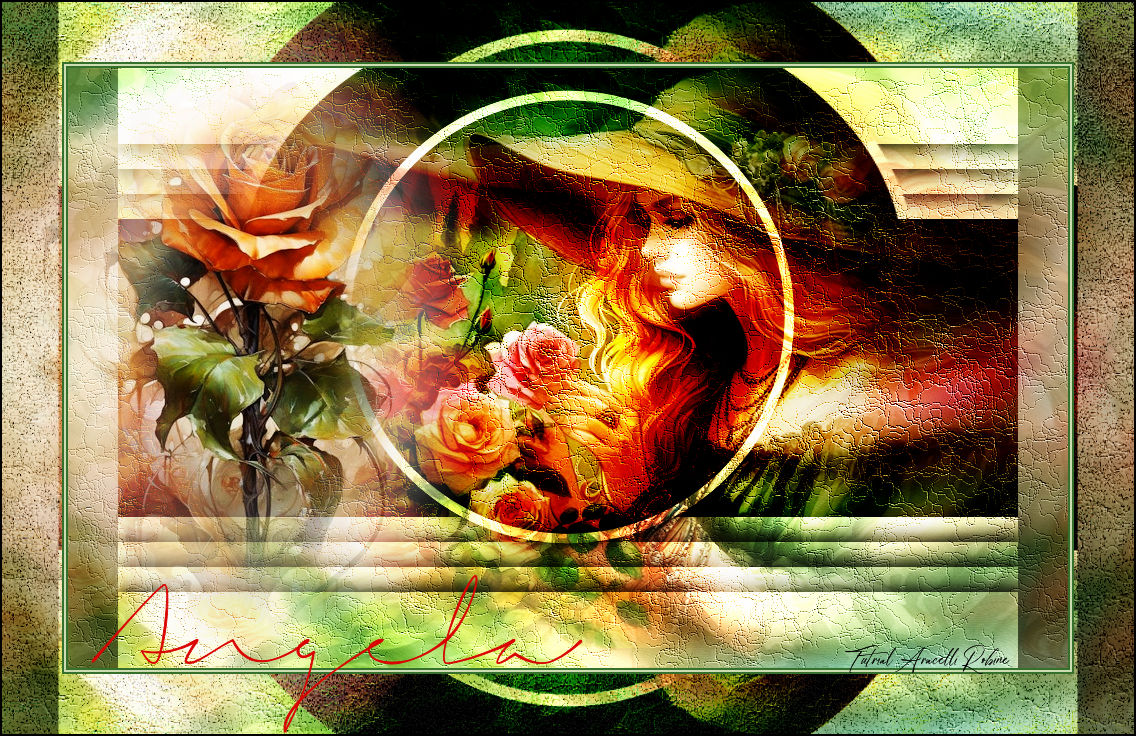
Misted feminino: Tube_Misted Angela Misted flor: Tube_Misted_flor Background Mask: NarahsMasks_1824 (Narah — agradeço) Texto: titulo da Tag
Cores usadas:
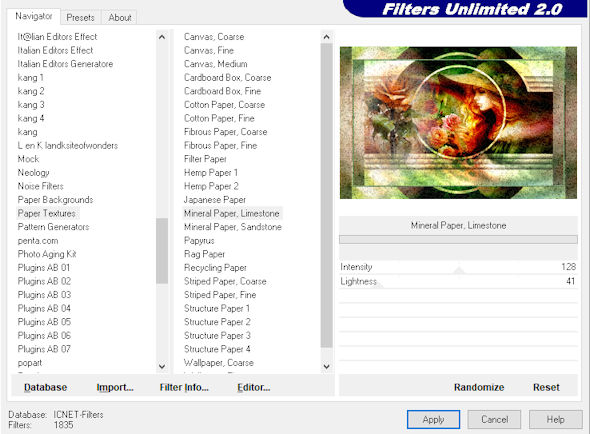
PLUGINS Filters Unlimited 2.0 → Paper Textures → Mineral Paper, Limestone
TUTORIAL
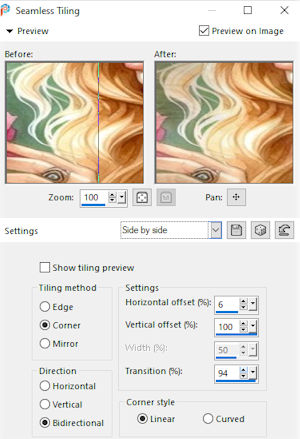
1_. Abra uma imagem transparente de 1000 x 600 px. 2_. Selections → Select All. 3_. Edit → Copy no seu Background. 4_. Edit → Paste Into Selection. Selections → Select None. 5_. Effects → Image Effects → Seamless Tiling: Side by Side.
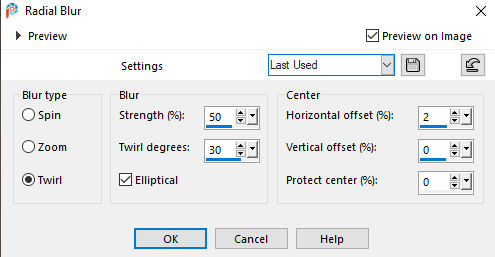
6_. Adjust → Blur → Radial Blur, nas configurações abaixo:
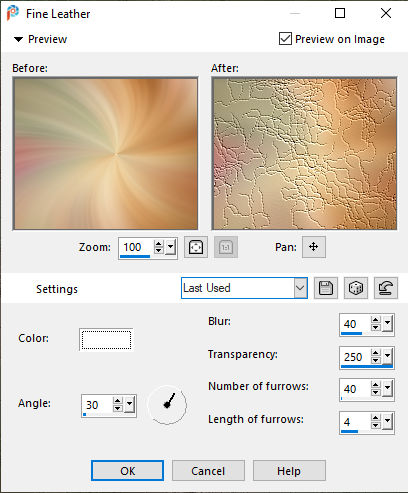
7_. Effects → Texture Effects → Texture: Fine Leather, nas configurações abaixo:
8_. Layers → New Raster Layer. 9_. Selections → Select All. 10_. Edit → Copy no Background. 11_. Edit → Paste Into Selection. Selections → Select None. Opacity: 20%. 12_. Edit → Copy no Tube_Misted Angela. Edit → Paste As New Layer e posicione à direita. 13_. Layers → Properties → Blend Mode: Overlay, ou a seu gosto (ou não aplique nenhum). 14_. Edit → Copy na mask. 15_. Edit → Paste As New Layer. 16_. Layers → Properties → Blend Mode: Overlay, ou a seu gosto. 17_. Edit → Copy no Tube_Misted_flor. Image → Resize: 80%. 18_. Edit → Paste As New Layer e posicione à esquerda. 19_. Edit → Copy Special → Copy Merged. 20_. Image → Add Borders, Symmetric marcado: 2 px na cor escura — Foreground #4b7543 2 px na cor clara — Background #c0cfa6 2 px na cor escura — Foreground #4b7543 21_. Selections → Select All. 22_. Image → Add Borders, Symmetric marcado: 60 px na cor branca. Selections → Invert. 23_. Edit → Paste Into Selection. 24_. Selections → Promote Selection to Layer. Selections → Select None. 25_. Layers → Duplicate. 26_. Image → Flip → Flip Vertical. 27_. Layers → Properties → Blend Mode: Overlay, ou a seu gosto. Layers → Merge → Merge Down. 28_. Filters Unlimited 2.0 → Paper Textures → Mineral Paper, Limestone.
29_. Edit → Repeat Paper Textures: Mineral Paper, Limestone. 30_. Layers → Merge → Merge All. 31_. Layers → Duplicate. 32_. Layers → Properties → Blend Mode: Soft Light. Layers → Merge → Merge All. 33_. Edit → Copy no texto. Edit → Paste As New Layer. 34_. Image → Add Borders, Symmetric marcado: 1 px na cor preta. 35_. Assine e salve em JPG. Aracelli Robine.
Copyright ©2026 - Web Design - Naise Minas |